Top 10 Reasons Why Surge Protection Device Shows Red Light

Time:2026-08-04 Author:Liam
0%

Understanding why does a surge protection device show a red light indicator is crucial for every homeowner. The red light often signals a problem with the device. This can indicate a failure of the surge protection system. It could also mean the device requires a reset or replacement. Knowing these signals can save you time and prevent damage.

Surge protection devices are essential in preventing electrical damage. They guard your appliances against voltage spikes. However, a red light could mean this protection is compromised. It’s vital to pay attention and assess the situation. If ignored, you risk equipment failure.

Many users overlook the importance of periodic checks. A device might work perfectly until it doesn't. The red light serves as a reminder. It urges you to evaluate your home’s electrical safety. Embrace it as a cue for action. Your equipment deserves the best defense against surges.
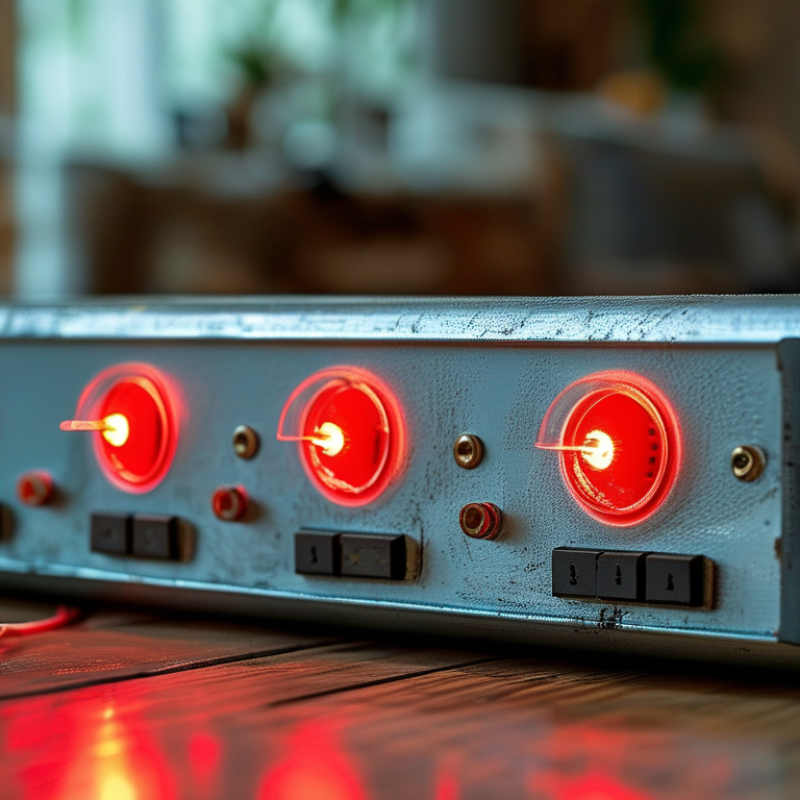
Top 10 Reasons Why Surge Protection Device Shows Red Light

Understanding Surge Protection Devices and Their Indicators

Surge protection devices (SPDs) are vital in safeguarding your electronics from voltage spikes. When the red light appears on an SPD, it often signifies impending issues. Understanding these indicators is crucial for maintaining the safety of your devices. Research indicates that over 60% of electronic failures are related to power surges. This highlights the importance of monitoring your SPD’s status.

The red light typically indicates that the device needs replacement. It might suggest that the surge capacity has been compromised. According to industry reports, a surge protective device should be replaced after it has absorbed several high voltage surges. Ignoring this indicator can lead to costly damages.

It's easy to overlook the red light. Some users may not realize the significance of this warning. A common misconception is that SPDs protect against all surges indefinitely. In reality, these devices have a finite lifespan. Regularly check your SPD's status. Awareness can prevent electrical failures and data loss.

Top 10 Reasons Why Surge Protection Device Shows Red Light

Reason Description
Power Surge Detected The device has detected a surge in voltage that exceeds its safety threshold.
Device Failure The surge protection device has malfunctioned and can no longer provide protection.
End of Life Indicator The device has reached its rated lifespan and needs replacement for effective protection.
Improper Installation The device may have been installed incorrectly, leading to a red light indication.
Overheating Excessive heat may have damaged the components, triggering the red light.
Connection Issues Faulty or loose connections can lead to improper functioning and a red light alert.
Moisture Ingress Water or moisture entering the device can short-circuit the internal components.
Incompatible Load The connected load exceeds the specs of the surge protection device.
Factory Defect A manufacturing defect might cause premature failure and activate the red light.

Common Reasons for a Red Light on Surge Protection Devices

A red light on a surge protection device often indicates a problem. It can be a signal that your device needs attention. Understanding these signals can help prevent electrical issues in your home or office.

One common reason for the red light is an overloaded circuit. Too many devices plugged in can exceed the capacity of the surge protector. Always check how many devices are connected. Another reason could be a failure in the protection circuit itself. If the surge protector has absorbed too many power surges, it may stop functioning. This could occur after a significant storm or power disturbance.

**Tips:** Regularly inspect your surge protection devices. Make sure they are not placed near water or excessive heat. Also, replace them if they’ve been compromised. A steady red light should not be ignored.

Sometimes, a red light can also signify that the device is in standby mode. This could happen when the device is reset or newly installed. If you notice this for an extended period, seek professional advice. Confirming operational status can save you from potential hazards. Ensure you do not dismiss the importance of these signals. They are crucial for maintaining electrical safety.

Potential Issues Indicated by a Red Light Signal

When a surge protection device (SPD) displays a red light, it indicates potential issues that need immediate attention. One common reason is a failure in the internal circuitry. According to industry reports, nearly 30% of SPDs fail due to component aging or thermal overload. This failure means the device is unable to provide adequate protection against voltage spikes, leaving connected devices vulnerable.

Another indicator could be an incoming surge exceeding the device's rated capacity. Studies show that over 40% of electrical surges come from internal sources, like large appliances cycling on and off. A red light in this case signals that the SPD may have already absorbed a significant surge, compromising its effectiveness. Users may overlook this, thinking their devices are safe. However, the red light serves as a critical warning that should not be ignored.

Poor installation practices can also play a role in the SPD showing a red light. Research indicates that up to 25% of SPDs fail due to inadequate grounding or mismatched voltage levels. These installation errors can prevent the device from working as intended. Device maintenance is essential but often neglected, leading to unrecognized failures. Understanding these signs can empower users to take proactive measures to protect their valuable equipment.

What to Do When Your Surge Protection Device Shows Red Light

A red light on your surge protection device (SPD) can indicate a problem. This warning often means the device has failed to provide adequate protection. Understanding this signal is essential for safeguarding your electronics. Data from the Electrical Safety Foundation International shows that power surges can cause significant damage. Over 60% of surge-related failures occur during thunderstorms.

When you see the red light, check the device's status. It might need replacement. Most SPDs have a limited lifespan, typically around 3 to 5 years. Regular inspections can help prevent issues. Use a multimeter to test your device or consult a certified electrician for a thorough check. Make sure to document any incidents to track performance over time.

It's important to reflect on the common mistakes. Many assume a red light means simple wear and tear. Sometimes, it can indicate an overload or a dangerous electrical fault. Ignoring this can lead to costly damage. Regular maintenance is key. Keep records of inspections and ensure your device is correctly rated for your appliances. This proactive approach helps protect your home and devices from unexpected power surges.

Preventive Measures to Avoid Surge Protection Device Malfunctions

Surge protection devices (SPDs) can fail, often indicated by a red light. To prevent these malfunctions, regular maintenance is crucial. Check connections frequently. Loose or corroded connections can diminish performance. Inspect the device itself for any signs of wear or damage. Small cracks might be a warning sign that should not be ignored.

Another effective measure is ensuring proper installation. An incorrectly installed SPD may not offer adequate protection. Verify that the device is installed according to the manufacturer's guidelines. Overloading the circuit can also trigger the red light. Avoid running too many devices on one circuit to ensure longevity.

Setting up monitoring systems can help track the device's performance. This allows for early detection of issues. Utilize surge protectors that offer indicators; they provide key information about the device's health. Educate yourself on the implications of SPDs, as understanding their functionality is essential. The more you know, the better you can protect your electronics.

Top 10 Reasons Why Surge Protection Device Shows Red Light

FAQS

: What does a red light on a surge protection device mean?

: A red light often indicates that the device needs replacement due to compromised surge capacity.

Why is it important to monitor surge protection devices?

Over 60% of electronic failures are due to power surges, highlighting the need for regular checks.

What should I do if my surge protection device has a red light?

Inspect the device, and consider replacing it if the light remains on for an extended period.

Can too many devices cause a red light?

Yes, an overloaded circuit can exceed the surge protector's capacity, triggering the red light.

How often should I check my surge protection devices?

Regular inspections are vital to ensure they are functioning properly and to prevent potential failures.

What if the red light is blinking?

A blinking red light could mean the device is in standby mode; consult a professional if it persists.

What can compromise my surge protection device?

Excessive heat, moisture, or absorbing too many surges can compromise the device's functionality.

Is it common to ignore the red light?

Yes, many users overlook it, mistakenly believing the device lasts indefinitely, which can lead to issues.

Where should surge protection devices be placed?

Keep them away from water and heat sources to maximize their effectiveness.

Can ignoring the red light lead to damages?

Yes, ignoring the alert can result in costly damages and protect against future surge events.

Conclusion

Surge protection devices (SPDs) play a crucial role in safeguarding electrical systems from voltage spikes, but one of the common concerns users face is "why does a surge protection device show a red light indicator?" A red light typically indicates that the device has detected a fault or is no longer functioning properly, which can be caused by issues such as internal damage, excessive voltage surges, or the need for replacement.

When an SPD shows a red light, it is essential to assess the potential problems indicated, which may include compromised protection capabilities or complete failure. It's advisable to disconnect any connected devices and consult a professional if necessary. To avoid future malfunctions, implementing preventive measures, such as regular maintenance checks and using high-quality devices, can help ensure the longevity and effectiveness of SPDs.

Liam

Liam

Liam is a dedicated marketing professional with a profound expertise in the industry, where he excels at highlighting the unique advantages of our core products. With a keen understanding of market trends and consumer needs, Liam frequently updates our company’s professional blog, providing......