China Top DC Converter Why Is My DC Converter Overheating?

Time:2026-10-03 Author:Aria
0%

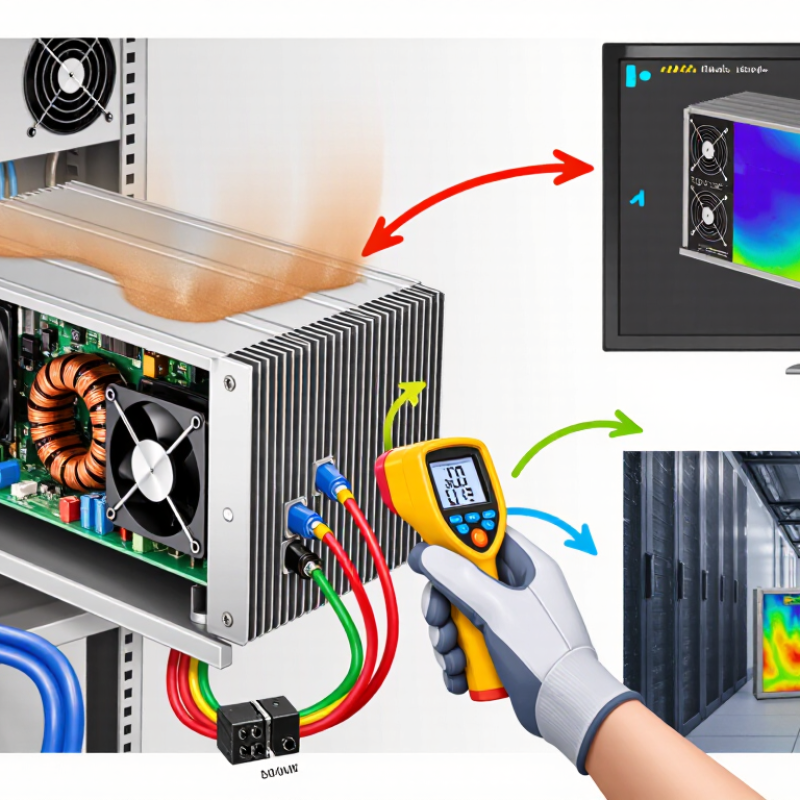
DC converters rarely overheat without a reason. In field inspections, the warning signs often appear before failure. A warm enclosure, softened insulation, or a faint electrical smell deserves attention. The key question is not only “why is my dc converter overheating during normal operations,” but also when and where the heat begins. Input voltage, output current, ambient temperature, airflow, and mounting orientation can change the thermal result. A converter rated for 10 amps may deliver that current only under specific conditions. Its datasheet may require derating above 40°C, restricted airflow, or a metal heat-spreading surface. That detail is easy to miss.

The International Energy Agency’s Energy and AI report (2025) estimates that data centers used about 415 TWh of electricity in 2024. It projects demand could reach approximately 945 TWh by 2030. More connected equipment means greater demand for reliable power conversion and heat control. The Uptime Institute’s Global Data Center Survey 2024 also identifies power and cooling constraints as continuing operational concerns. These findings matter beyond large facilities. A factory cabinet, telecom rack, or solar control box can experience the same thermal stresses. Check the temperature with a calibrated probe or thermal camera. Compare measured load with the converter’s derating curve. Inspect fan operation, dust buildup, cable resistance, and ripple voltage. Do not trust touch alone. That assumption is often wrong. IEC 62368-1 safety principles also reinforce the importance of temperature control, insulation, and accessible protective measures. A careful diagnosis may reveal an undersized model, blocked ventilation, excessive switching losses, or a failing capacitor. The converter may not be the only problem.
China Top DC Converter Why Is My DC Converter Overheating?

What Is a DC Converter and How Does It Work?

A DC converter changes one direct-current voltage into another, either higher, lower, or electrically isolated.

It uses a switching device, an inductor or transformer, capacitors, and a feedback controller. The switch opens and closes rapidly. This controlled pulse flow stores energy, releases it, and smooths the output. A sensor compares output voltage with the target, then adjusts switching time. Think of it as a pressure regulator for electrons. The process is efficient, not lossless.

That lost energy becomes heat inside the converter. At 90% efficiency, delivering 100 watts creates about 11 watts of heat. At 95% efficiency, the loss falls to roughly 5.3 watts.

According to Lawrence Berkeley National Laboratory’s 2024 United States Data Center Energy Usage Report, data center electricity demand may increase from 176 TWh in 2023 to 325–580 TWh by 2028. More power conversion also means greater thermal pressure. A small enclosure can become surprisingly hot.

A practical inspection should check load current, input voltage, airflow, connector tightness, and capacitor condition.

Blocked vents and undersized wiring are common causes. Incorrect inductance can also increase ripple and switching loss. A temperature reading can mislead; the case may feel acceptable while an internal component overheats.

I would not blame the converter immediately. Measure voltage at the input and output, then compare actual efficiency with its rated value. Reduce the load before testing further. Safety still matters.

What Causes a DC Converter to Overheat?

China Top DC Converter: Why Is My DC Converter Overheating?

What Causes a DC Converter to Overheat?

A DC converter usually overheats when electrical losses become trapped as heat. Common causes include excessive load, blocked ventilation, high ambient temperature, and poor wiring. A converter rated for 20 amps may run dangerously hot near its limit, especially inside a sealed cabinet. Loose terminals also create resistance. That small connection can become a hot spot.

The IEA’s Electricity 2024 report projects global data-center electricity demand may exceed 1,000 TWh by 2026, compared with about 460 TWh in 2022. Higher power density leaves less thermal margin for conversion equipment. IEC TR 62380-based reliability models also commonly use a 10°C rise as a major life-reduction factor. This is not a universal rule, but it deserves attention. Field inspections often find dust on cooling paths, aging fans, or undersized cables. A quick touch test is unreliable. Surface temperature can feel moderate while internal components are already stressed.

Tips: Measure the converter’s input, output, and case temperature under real load. Check airflow around the enclosure. Keep continuous demand below the rated capacity, preferably with practical headroom. Inspect terminals for discoloration or looseness. Use a thermal camera when possible. Do not assume a larger fuse will solve overheating; it may hide the real fault. A rough installation estimate can fail, particularly in hot rooms or crowded panels.

How to Diagnose an Overheating DC Converter Step by Step

When a DC converter overheats, begin with a safe visual inspection. Disconnect power and allow the case to cool completely. Check for blocked vents, dust, loose terminals, or darkened insulation. A hot smell matters. Measure the input and output voltage with a calibrated multimeter, following the converter’s technical specifications. Do not touch exposed conductors during testing. Compare the actual load with the rated current, especially when motors or pumps start.

Tips: Keep airflow clear. Tighten terminals carefully. Never ignore repeated shutdowns.

Reconnect the converter only if the enclosure and wiring appear safe. Monitor its temperature during normal operation with an infrared thermometer. A rising temperature near the terminals may indicate high resistance or a poor connection. Heat across the entire case can suggest overload, inadequate cooling, or an incorrect input voltage. I once focused on the converter itself and missed a damaged cable upstream. That mistake changed my inspection routine.

Reduce the load temporarily and test again. If the temperature falls, calculate the continuous current and startup demand. Relocate the unit away from sunlight, insulation, and other heat sources. A cooling fan may help, but it cannot fix an overloaded circuit.

Check the manufacturer’s data for allowable ambient temperature and derating. If voltage remains unstable or the converter overheats without load, stop using it and ask a qualified technician to inspect the circuit. Measurements can mislead when probes or meters are poorly rated.

How Load, Wiring, and Ventilation Affect Converter Temperature

China Top DC Converter: Why Is My DC Converter Overheating?

How Load, Wiring, and Ventilation Affect Converter Temperature

A DC converter often heats up when its load stays near, or above, its rated capacity. Motors, pumps, and LED systems can draw a sharp startup current. That brief surge may trigger extra heat inside the converter. In field inspections, I check the actual current with a meter instead of trusting the equipment label. A small overload can remain unnoticed for hours. Heat builds slowly.

Wiring creates another common problem. Thin cables produce higher resistance and waste energy as heat. Long cable runs make this worse, especially on low-voltage systems. Loose terminals can become hot spots. I inspect terminal screws for discoloration, brittle insulation, or a warm smell. A quick hand test is not enough. Temperatures should be measured safely with a suitable meter or thermal camera.

Ventilation also changes converter performance. A unit inside a sealed cabinet may have little chance to release heat. Dust on vents acts like a blanket. Nearby batteries, walls, or other hot equipment can raise the surrounding air temperature. Leave clear space around the housing and keep airflow paths open. Yet spacing alone may not solve the issue. I have seen converters cool down after cleaning, but the same units overheated again because the load remained too high. Checking load, cable size, connections, and airflow together gives a more reliable diagnosis.

How to Prevent DC Converter Overheating and Improve Safety

Why Is My DC Converter Overheating? How to Prevent DC Converter Overheating and Improve Safety

A DC converter usually overheats for predictable reasons: excessive load, blocked airflow, high ambient temperature, or loose terminals.

I once blamed a faulty converter too quickly. The real problem was a dusty intake and undersized wiring. That assumption was wrong. Measure input voltage, output current, and case temperature under normal load. A converter rated for 300 watts should not operate continuously at its limit. Keeping a 20–30% power margin reduces thermal stress.

Heat leaves clues.

Discolored terminals, softened insulation, unusual smells, and repeated shutdowns require immediate inspection. Use a thermal camera to compare terminal temperatures with nearby cables. Check cooling fans, ventilation gaps, and mounting surfaces. Metal enclosures can trap heat when openings are poorly placed.

The International Energy Agency’s Electricity 2024 report projects global data-center electricity use could exceed 1,000 TWh by 2026. This rising electrical demand makes thermal management more important across power systems.

Protection should match the installation.

Add correctly rated fuses or circuit breakers near the power source. Follow IEC 62477-1 principles for power-electronic safety and maintain suitable creepage and clearance distances. Never bypass overtemperature protection.

The 2024 Global Data Center Survey reported that 54% of respondents experienced a latest outage costing over $100,000. A small thermal warning can become expensive downtime.

Still, a checklist is not enough. Record temperatures during summer operation, review connections after vibration, and replace damaged parts before failure occurs.

FAQS

What should I do before inspecting an overheating DC converter?

Disconnect power and let the enclosure cool completely. Check vents, dust, loose terminals, and darkened insulation. Do not touch exposed conductors. Safety comes first.

Which signs suggest a serious overheating problem?

Watch for hot smells, repeated shutdowns, softened insulation, or discolored terminals. A rising temperature near one terminal may indicate high resistance. Do not ignore repeated warnings.

How can I check whether the converter is overloaded?

Measure the actual output current during normal operation. Compare it with the converter’s rated current. Include motor or pump startup demand. A 20–30% power margin reduces thermal stress.

Why can airflow cause excessive converter temperature?

Blocked vents, dust, sunlight, or nearby insulation can trap heat. Inspect the mounting area and cooling openings. Keep air passages clear. A fan may help, but it cannot correct an overloaded circuit.

How should I measure voltage safely?

Use a properly rated, calibrated multimeter. Measure input and output voltage against the technical specifications. Keep probes away from exposed conductors. Poor equipment can mislead you.

What does uneven heating around the case mean?

Heat concentrated near terminals may indicate a loose connection or high resistance. Heat across the whole case can suggest overload or poor cooling. Tighten terminals carefully after power is disconnected. Check the upstream cable too.

What test can confirm whether the load causes overheating?

Reduce the load temporarily and monitor the temperature again. If the temperature falls, calculate continuous current and startup demand. This test is useful, but not perfect. Other faults may remain hidden.

When should I stop using the DC converter?

Stop using it if voltage remains unstable or overheating continues without load. Do not bypass overtemperature protection. Ask a qualified technician to inspect the circuit. Record temperatures during hot weather and after vibration.

Conclusion

A DC converter changes direct-current voltage from one level to another so electrical devices can operate safely and reliably. During normal operation, overheating may result from excessive load, poor wiring, loose connections, restricted airflow, high ambient temperature, or an internal fault. If you are asking, “why is my dc converter overheating during normal operations,” begin by checking the input and output voltage, measuring the connected load, and inspecting cables, terminals, fuses, and connectors for damage or unusual resistance.

A careful diagnosis should also confirm that the converter is correctly rated and installed in a clean, dry, and well-ventilated location. Remove unnecessary loads, improve airflow, tighten or replace faulty connections, and keep the unit away from heat sources. Regular inspection, suitable circuit protection, correct cable sizing, and timely maintenance can reduce heat buildup, improve efficiency, and enhance overall electrical safety. If overheating continues after these checks, disconnect the equipment and have it evaluated by a qualified technician.

Aria

Aria

Aria is a dedicated marketing professional with a deep passion for innovative strategies and a keen understanding of our company's product offerings. With a wealth of experience in the industry, Aria excels at crafting engaging content that highlights the unique features and benefits of our......